
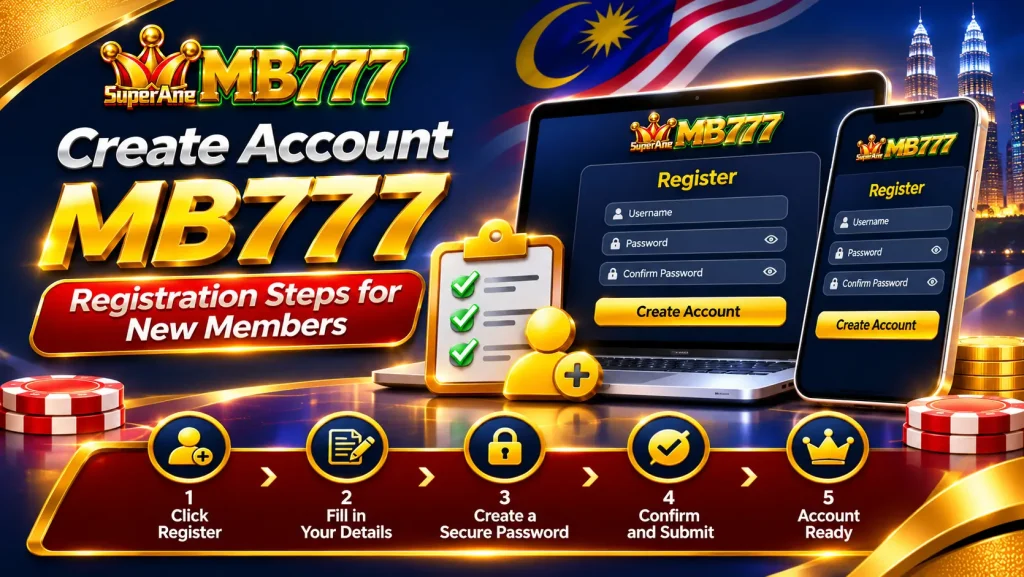
The MB777 Malaysia website includes account guidance alongside information about gaming categories, mobile accessibility, and platform features like create account MB777.
Whether you are accessing the website from a desktop computer or smartphone, understanding the registration process can help you recognize legitimate account requirements and avoid common security mistakes.
This guide describes general registration practices. MB777’s current signup form, eligibility requirements and verification procedures have not been independently tested.
What Should You Know Before Creating an MB777 Account?
Before beginning registration, it is important to understand the website’s requirements and determine whether you are eligible to use its services.
Online gaming platforms may require personal information, contact details and identity verification, depending on their services and operating jurisdiction.
For platforms offering gambling services, legal eligibility is particularly important.
Check the Website Address
The MB777 Malaysia website referenced in this article is:
Check the complete domain name before entering personal details.
A website using familiar branding does not necessarily prove that it is operated by the organization behind the brand. Visitors should independently verify ownership and authorized communication channels.
Review Age and Location Requirements
Gambling services are subject to age restrictions and local laws.
Malaysia has restrictive gambling legislation, and users should not assume that a website targeting Malaysian audiences is legally authorized to provide online gambling services.
Before registering, verify the operator’s licensing status, applicable legal requirements and account eligibility conditions.
Understand the Privacy Policy
Registration may involve sharing personal information.
Before submitting a form, review the website’s privacy policy to understand what information is collected, why it is needed and how it may be stored or shared.
How to Create an MB777 Account Step by Step
The following steps describe a typical online account registration process. Exact button names, form fields and verification requirements may differ on the current MB777 website.
Step 1: Locate the Registration Page
Begin by identifying the website’s registration or account creation section.
Registration controls are commonly labeled Register, Sign Up or Create Account.
Before opening the form, confirm that the website address matches the intended domain and that its operator has been independently verified.
Step 2: Review the Required Information
Registration forms may request basic information such as a username, password and contact details.
Some services may also request identity information for eligibility or verification purposes.
Only provide information when the reason for collecting it is clear and the recipient has been verified.
Step 3: Create a Secure Password
A strong password helps reduce the risk of unauthorized account access.
Use a unique password that is not shared with email, banking or social media accounts.
A password manager can help generate and store strong credentials securely.
Avoid using easily guessed information such as birthdays, common words or simple number sequences.
Step 4: Review the Terms and Conditions
Before submitting an account registration form, read the applicable terms and conditions.
Pay particular attention to eligibility restrictions, account limitations, identity verification, privacy practices and procedures for account closure.
Do not agree to terms you do not understand.
Step 5: Complete Any Required Verification
Some platforms use email confirmation, SMS verification or identity checks.
These procedures may be intended to confirm contact information, prevent duplicate accounts or satisfy legal obligations.
Never share one-time verification codes with people claiming to be support representatives.
Step 6: Confirm the Registration Result
After submitting a registration form, check whether the website provides a confirmation message.
If registration is unsuccessful, review any displayed error information before attempting again.
Avoid repeatedly submitting sensitive information if the website behaves unexpectedly.
MB777 Account Registration on Android and iPhone
Many visitors access online services through smartphones, making mobile registration an important part of the user experience.
The MB777 website includes mobile-oriented content and information about Android and iOS access.
Read More: How to Identify the MB777 Official Website in 2026
Creating an Account Through an Android Browser
Android users can generally access responsive websites through browsers such as Chrome.
When reviewing a registration form, check that text fields are readable, buttons are accessible and the website address is visible.
Avoid installing unknown applications simply to complete registration.
Using an iPhone or iPad
iPhone users can access mobile-compatible registration pages through Safari or other supported browsers.
A website-based signup process does not necessarily require a dedicated iOS application.
If a page unexpectedly requests installation of a configuration profile or device management certificate, verify its legitimacy before proceeding.
Mobile Registration Considerations
When using a smartphone, avoid entering sensitive account information over untrusted public Wi-Fi networks.
Keep the device and browser updated, and use a secure connection.
What Information May Be Required for MB777 Registration?
Registration requirements vary between platforms.
The following table explains common information types and their purposes. It does not confirm that MB777 currently requests every item.
| Information | Common purpose | Important consideration |
|---|---|---|
| Username | Identifies the account | Avoid revealing unnecessary personal details |
| Password | Protects account access | Use a unique, strong password |
| Email address | Communication and recovery | Verify the recipient before submitting |
| Phone number | Contact or verification | Review privacy implications |
| Legal name | Identity verification | Confirm why it is required |
| Date of birth | Age eligibility | Check applicable legal requirements |
| Identity documents | Regulatory or security checks | Submit only through verified channels |
Users should avoid providing more information than is necessary for a legitimate, clearly explained purpose.
Common MB777 Registration Problems and Possible Solutions
Account creation may fail for several reasons, including technical issues, incomplete forms or verification requirements.
Understanding the possible causes can help visitors respond appropriately.
Registration Page Does Not Load
A page may fail to load because of a temporary connection issue, browser incompatibility or server problem.
Check the internet connection and confirm that the URL is correct.
If the website redirects unexpectedly, avoid entering personal information until the destination is verified.
Username Is Already Taken
Some platforms require unique usernames.
If a username is unavailable, a different combination may be necessary.
Avoid including sensitive personal details in public-facing usernames.
Password Does Not Meet Requirements
Registration forms may enforce password length or complexity rules.
Follow the displayed requirements while choosing a password that is difficult to guess.
Do not reuse a password from another account.
Verification Code Does Not Arrive
Verification messages can sometimes be delayed or filtered.
Check whether the contact details were entered correctly and whether the message was sent to a spam folder.
Do not repeatedly request codes from an unfamiliar or unverified website.
Registration Is Restricted
Some services restrict registration based on age, location, identity verification or other eligibility conditions.
These restrictions should not be bypassed. Review the applicable rules and seek clarification through a verified support channel.
How to Protect a Newly Created MB777 Account
Account security should remain a priority after registration.
Use Unique Login Credentials
Reusing passwords across multiple websites increases the potential impact of a data breach.
Choose a separate password for each important account.
Enable Additional Security Measures
If multifactor authentication is available, consider enabling it.
This can provide additional protection against unauthorized access.
Be Careful With Account Recovery Messages
Phishing messages may claim that an account has been suspended or requires urgent verification.
Avoid following unexpected links. Instead, access the relevant service through a previously verified address.
Review Account Activity
Where account history or security logs are available, review them for unfamiliar activity.
Report suspected unauthorized access through a verified support channel.
Understanding Account Verification and Identity Checks
Some online services require additional verification after registration.
This may involve confirming an email address, phone number or identity document.
For regulated services, identity checks may also be used to assess age and legal eligibility.
However, users should verify the legitimacy of any document request before submitting sensitive information.
A website that asks for identity documents without explaining its operator, privacy practices or legal basis deserves caution.
Can You Create More Than One MB777 Account?
Account policies vary between platforms.
Some services prohibit duplicate accounts or restrict users to one account per person.
Multiple registrations may create problems with identity verification, account recovery or compliance with terms and conditions.
Before creating an additional account, review the platform’s published rules.
If access to an existing account has been lost, use a verified recovery procedure rather than assuming a new registration is appropriate.
Registration Safety and Legal Considerations in Malaysia
Account registration and legal authorization are separate matters.
A website may provide a registration form without being legally authorized to offer all its advertised services in a particular jurisdiction.
Malaysia maintains restrictive gambling laws. Visitors should independently verify whether a gambling operator is authorized to provide services in their location.
Other important considerations include data protection, identity verification, payment transparency and account closure procedures.
This article does not establish that MB777 holds a valid gambling license or that its registration system has undergone independent security testing.
Final Thoughts on Creating an MB777 Account
Understanding how to Create Account MB777 involves reviewing more than the registration form itself.
Website authenticity, eligibility requirements, password security, privacy practices and verification procedures are all important parts of responsible account setup.
The MB777 Malaysia website provides account-related guidance, but visitors should confirm its current registration requirements and operator details before submitting personal information.
Taking time to review these considerations can help reduce confusion and protect sensitive information.
For further platform information, visit the MB777 Malaysia website.
Frequently Asked Questions About Creating an MB777 Account
1. How do I create an MB777 account?
Locate the registration section on a verified MB777 website, review the eligibility requirements, complete the requested fields and follow any required verification steps. The exact process may vary.
2. Can I register an MB777 account using my smartphone?
The MB777 website is designed with mobile-oriented layouts. Registration functionality and compatibility should be confirmed using the intended Android or iOS device.
3. What information is required for MB777 registration?
Online platforms commonly request a username, password and contact details. Additional identity or eligibility information may be required, depending on the operator’s policies.
4. Why is my MB777 account registration unsuccessful?
Possible causes include incomplete information, unavailable usernames, password requirements, technical errors or eligibility restrictions. Review any displayed error message and contact a verified support channel if necessary.
5. Is it safe to create an MB777 account in Malaysia?
Safety depends on the website’s authenticity, technical protections, privacy practices and legal authorization. Malaysia has restrictive gambling laws, so users should independently verify the operator’s licensing and applicable eligibility requirements before registering.
